Can school Wi-Fi handle a digital testing day? For a growing number of districts the answer is yes, but only because they planned for the worst two hours of the year. Most U.S. states now administer at least some summative assessments online — the movement accelerated after 2023, with paper-and-pencil options retiring across many testing programs — and a testing day is the single densest bandwidth event a school network experiences: every student in a grade, in one room, hitting the same server cluster at 9 a.m. Consortium guidance from assessment vendors and state technology-readiness checklists converges on one benchmark: plan for simultaneous testing, not average school-day use, because average use never means 30 simultaneous secure clients per room.
What does the network actually need on testing day?
Per-client demand per online assessment is modest — most testing platforms specify roughly 50–150 Kbps per student of steady throughput, because exams are text and occasional media, not video streaming. The stress is concurrency, not bandwidth. A realistic readiness target, aligned with state checklists as of 2025, is one access point per testing classroom, dual-band Wi-Fi 5 or newer, no more than about 25–30 active clients per radio, and wired drops for proctor machines and any secure browser workstation that has caused trouble before. Upstream, the school's internet circuit should carry the sum of all concurrent testing rooms plus administration overhead with headroom — the State Educational Technology Directors Association's long-standing target of 1 Mbps per student remains a reasonable planning floor.
What actually breaks on testing morning?
Post-incident reports from district technology departments repeat the same short list. Power negotiation: laptops that go to sleep mid-section and lose the secure session, forcing resume or restart flows the proctor has not rehearsed. Device updates pending: an OS update prompt appearing over a locked-down testing browser. Guest and proctor devices on the testing VLAN: a proctor machine on the guest network can throttle or block the secure traffic shaping designed for the testing SSID. Printer and attendance traffic competing during check-in. And caching or content filters misclassifying the testing vendor's domains — which is why every readiness checklist since paper-era transition includes whitelisting the assessment vendor's full domain list, confirmed with the filter vendor in writing before the window opens.
How should a district prepare in the weeks before?
Run a dress rehearsal with real devices in real rooms, in the same hour of the day as the actual test, using the vendor's infrastructure trial or a bandwidth-stress equivalent. Rehearse the three failure scripts: a student kicked out mid-section, a frozen client, and a full-room outage — each has a documented recovery flow from the testing vendor, and proctors should have the printed version, since the network being down is precisely when the online instructions are unreachable. Verify that every testing device is charged, plugged in or on carts, and has its secure browser or app installed and version-checked two weeks out. Confirm auto-update deferral settings via MDM for the testing window, and physically test the rooms where new walls, new equipment, or last year's complaints flagged weak signal. Signal strength that suffices for browsing can fail a secure client that is less tolerant of roaming between access points.
What rooms and schedules reduce risk?
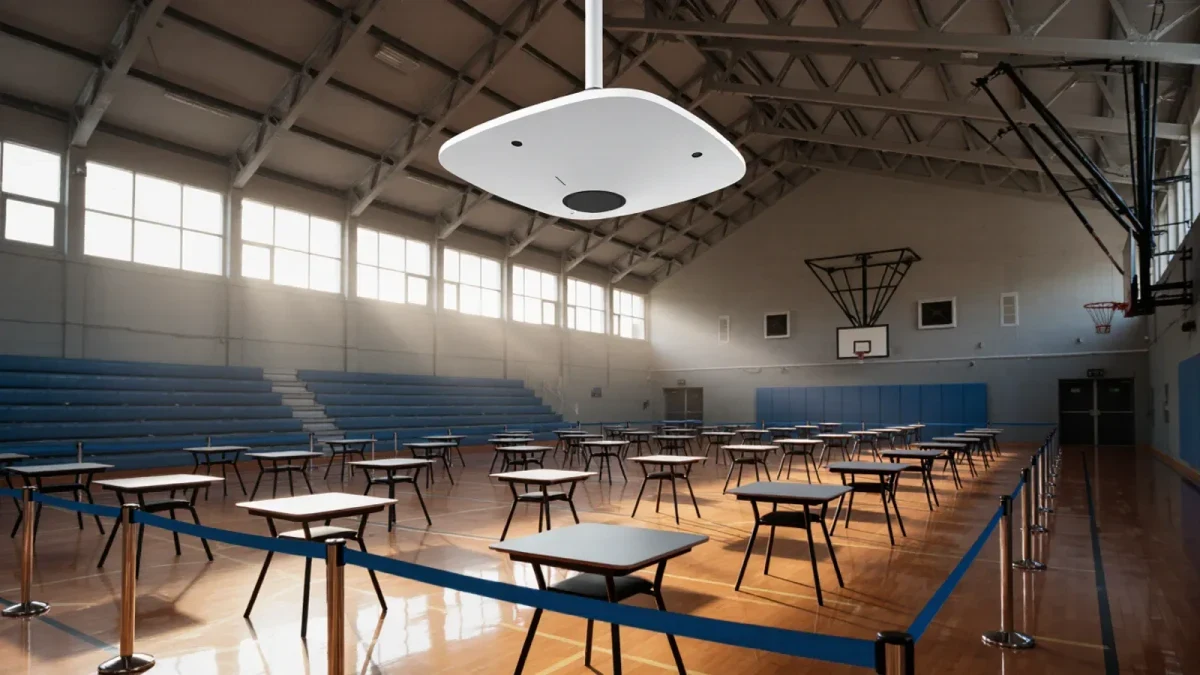
Spread the load. Stagger start times by 15–20 minutes so a whole grade does not authenticate simultaneously — authentication storms are a real phenomenon on testing platforms. Prefer smaller rooms with dedicated access points over gymnasium mass sittings, where hundreds of clients contend with a handful of radios. Hardwire wherever possible: desktop labs on Ethernet are the most reliable testing stations a school owns, and moving students with accommodations to wired stations during a Wi-Fi incident is a legitimate recovery move. For make-up testing windows, keep the same SSID and filter rules active, because the most common make-up-day failure is a rule set reverted after the main event.
What about E-rate and longer-term capacity?
The FCC's E-rate program subsidizes school broadband and internal Wi-Fi, and the commission's 2024 decision to raise the program's funding cap — the first increase since inflation-indexing began, alongside a rule streamlining for on-campus Wi-Fi — matters for districts whose access points predate digital testing. Rooms that will host testing should be first in line for AP refreshes, ahead of hallways and administrative areas. When filing for internal connections, document testing-day concurrency as part of the needs justification. And keep the network diagram current: the technology director who can name every testing room, its AP count, and its wired drop count can argue for funding with numbers instead of anecdotes.
What belongs on the day-of checklist?
A copy stored on paper: the testing vendor's support number and the district's escalation path; the SSID and VLAN assignments for testing; the filter whitelist confirmation; spare charged devices staged per hallway; and a runner protocol so proctors never leave a room unattended to find IT. Wi-Fi engineering gets a school to 9 a.m.; rehearsal and a paper checklist carry it to the last submit button.
After each window closes, spend thirty minutes on a debrief while memories are fresh. Record every room that stalled, every device that dropped, and every work-around a proctor invented, then map the failures to a cause: coverage, capacity, power settings, or process. Districts that keep this running log across two or three testing windows develop an accurate weakness map of their network, which doubles as evidence for the next E-rate or capital request. A brief written record also protects institutional memory when the technology director who managed the migration leaves. The schools with uneventful testing days are rarely the ones with perfect networks — they are the ones that wrote down what went wrong the last time and fixed it before it repeated.